
Mobile Application Security Testing without waiting for the next audit.
MASTodon tests each Android and iOS release candidate with 150+ OWASP MASTG-oriented checks, automatically, in your pipeline or from a direct upload.
Releases keep moving
Your team ships code faster than ever, thanks to AI. That's good, but it generates untracked code that exposes risk.
Audits are a photography of the past
While a periodic audit provides a snapshot of your app at a specific point in time, attackers are testing your app in the latest version.
Risk ships silently
The uncomfortable moment is pressing release while wondering what slipped into production unnoticed.
Connect once or upload a build
Start from CI/CD or upload an Android or iOS build directly if you want a faster first run.
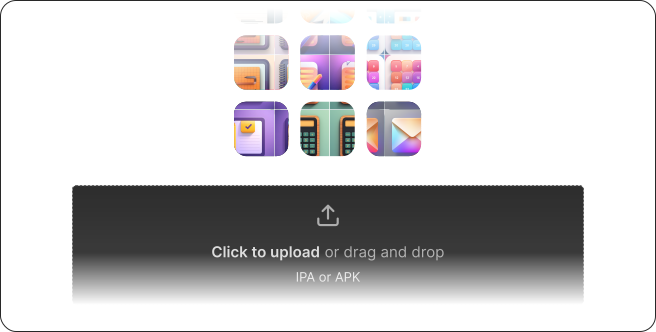
Test every update candidate
Run 150+ automated security checks on dynamic and instrumented devices, checking for all type of vulnerabilities.
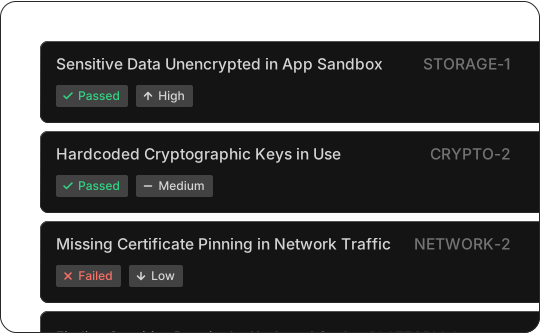
Fix easily and keep shipping
Review where, how, and why. Results include evidence, severity, and remediation guidance so teams can fix with context and keep shipping.
150+ automated tests
Run a broad set of automated checks across Android and iOS builds. Tests include all the OWASP MASTG checklist, and in-house checks that cover more complex vulnerabilities.
Every update is tested
Each time a release candidate is ready, the app is automatically tested, without intervention.
Detailed evidence and guidance
Receive results that are useful to understand each problem in your application. Includes test context, gathered evidences, severity, and remediation guidance.
Track progress over time
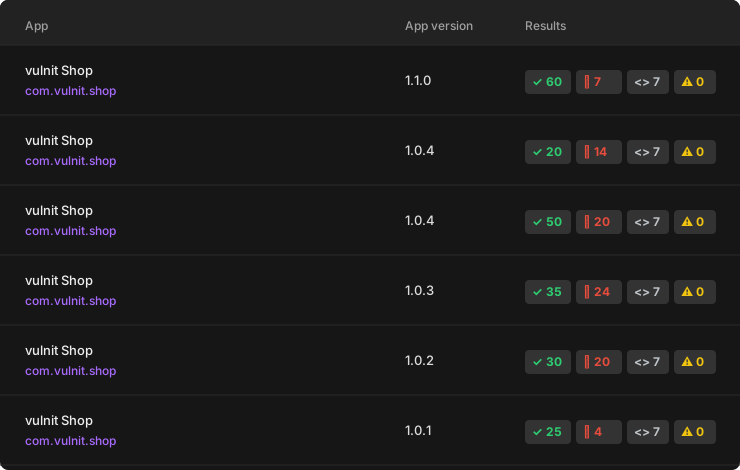
Compare the results of your app over versions so teams can see progress, identify regressions, and understand how the app evolves.
LLM-Friendly results
Results are designed to be consumable by LLMs, so developers can use them to understand and fix issues faster.
Compliance support
All the results include supporting evidence for recurring testing expectations across frameworks such as FDA, HIPAA, and PCI DSS.
Your next release is already moving.
Make it the first one that gets repeatable mobile security testing before it reaches users. Start with CI/CD or upload a build directly.